I've written before about smart plugs being the cheapest smart home upgrade worth buying. Smart locks are the opposite kind of recommendation — they cost more, install takes longer, and yet they're the device I'd keep even if I had to rip out everything else in this house tomorrow.
That's not a small claim. I've cycled through more smart home junk drawers than I care to admit — hubs that stopped getting updates, sensors that lost their pairing every other week, a video doorbell that decided motion detection meant "leaves blowing." Most of it got quietly unplugged within a year. The lock didn't.
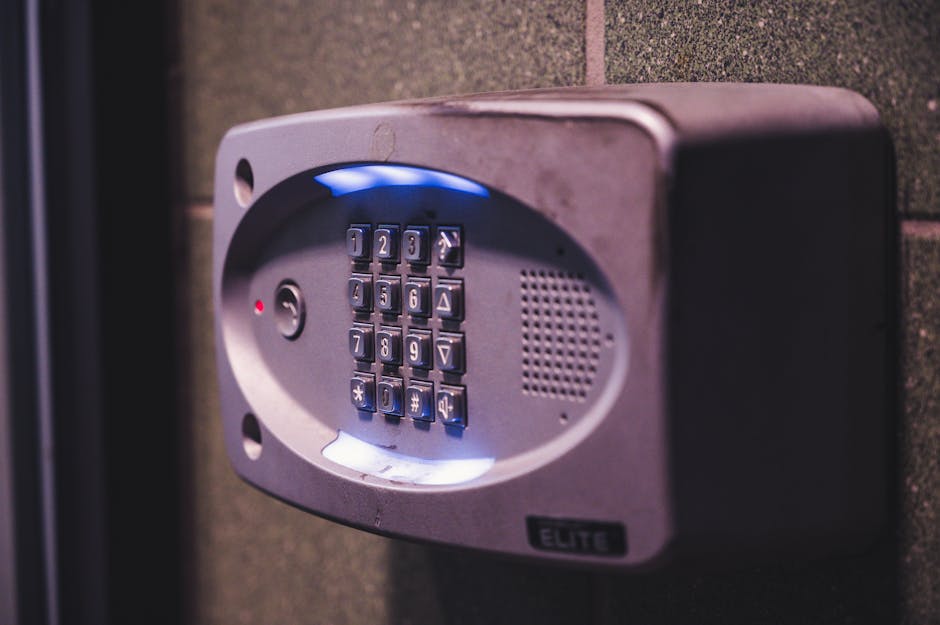
Photo by Brett Sayles on Pexels
Why a Lock Is Different From Every Other Smart Device
Most smart home gadgets solve a problem you didn't really have. A smart bulb that changes color on command is fun for about two weeks. A smart lock solves a problem you have every single day, multiple times a day: getting into your own house with your hands full, letting someone in when you're not home, and not lying awake wondering if you locked the door.
The frequency is what makes it stick. You interact with your front door lock way more often than you interact with, say, a smart thermostat's schedule settings. Every touchpoint is a chance for it to either save you a few seconds of friction or annoy you. When it's tuned right, it saves the friction constantly, and that adds up to something you actually notice.
The Auto-Unlock Feature Nobody Talks About Enough
Most smart lock marketing leans on remote access — unlocking the door from your phone while you're at the grocery store. Fine, sure, that's useful maybe once a month. What actually changes your day-to-day is auto-unlock via geofencing: the lock senses your phone approaching and unlocks itself before you're even at the door.
Say you get home most days around 6 p.m. with a bag of groceries in one arm and a phone in the other hand. Fumbling for keys, or worse, fumbling for your phone to open an app, is exactly the moment a smart lock is supposed to eliminate. Good geofencing gets you to the door with it already unlocked. Bad geofencing either doesn't trigger until you're standing there annoyed, or triggers three houses down and unlocks your door while you're still getting the mail.
This is where I'll push back on the hype a little: auto-unlock is the single most failure-prone smart home feature I've used, across brands. Phone GPS drift, background app restrictions on Android especially, and Bluetooth range inconsistency all conspire against it. If you're shopping for a lock specifically for this feature, read reviews for your specific phone model, not just the lock. It's the one spec that varies by user, not by product.
Codes Beat Keys for Actual Household Logistics
The unlock-with-your-phone stuff gets the marketing budget, but the feature that quietly does the most work is per-person access codes. Not a shared code everyone uses — individual codes you can create and kill without touching a physical key.
This is where a smart lock earns its keep for reasons that have nothing to do with gadgetry:
- A dog walker or cleaner gets a code that only works Tuesday and Thursday mornings, no key to lose or copy
- A house-sitter gets a code for the exact week you're away, then it's gone automatically
- If a code ever gets shared with someone it shouldn't, you delete it in the app instead of rekeying the whole house
Rekeying a traditional lock after handing out one too many spare keys is a real cost — a locksmith visit, a delay, some awkwardness. A smart lock turns that into a 30-second app interaction. That alone justifies the price difference for a lot of households, even ones that don't care about the phone-unlock gimmick at all.
Where It Overlaps With the Rest of Your Smart Home
Photo by HUUM │sauna heaters on Pexels
If you've already got smart plugs with energy monitoring or any other automation running, a smart lock becomes a genuinely useful trigger rather than an isolated gadget. "Front door unlocks → turn on the entry light and bump the thermostat off eco mode" is the kind of automation that sounds gimmicky in a product demo and then turns out to matter every single time you walk in during winter with your hands full.
The catch is that this only works if your lock and your hub actually talk to each other reliably. This is where matter/thread compatibility is worth checking before you buy, not after. A lock that only speaks its own proprietary app doesn't play well with anything else, and you'll end up with two separate ecosystems that don't automate together — which defeats half the point.
Battery Life Is the Boring Detail That Actually Matters
Nobody puts battery life in the headline of a smart lock review, but it's the detail that determines whether you regret the purchase. A dead battery on a smart lock isn't like a dead battery on a smart bulb — you're locked out of your own house, or worse, the door defaults to unlocked.
Look for:
- A physical key backup, always, no exceptions
- Low-battery notifications that arrive with enough runway to actually act on them (weeks, not hours)
- Realistic battery estimates — most manufacturer numbers assume light use, so expect real-world life to run shorter, especially in cold climates
I'd rather deal with slightly clunkier software on a lock with excellent battery management than a beautifully designed app paired with a lock that dies every ten weeks.
FAQ
Do smart locks work during a power outage?
Yes, generally — most run on standalone batteries, not household power, so a blackout doesn't affect the lock itself. It's your Wi-Fi connected features (remote unlock, app notifications) that go down if your router loses power, not the lock's basic function of opening and closing.
Can someone hack a smart lock more easily than picking a regular one?
It depends heavily on the specific lock and how it's set up. The bigger practical risk for most households isn't sophisticated hacking — it's a weak or reused Wi-Fi/app password, or an old shared code nobody remembered to delete. Basic account hygiene matters more than which brand you pick.
Is it worth getting a smart lock if I rent my home?
Check your lease first — some landlords don't allow permanent hardware changes to exterior doors. There are retrofit smart lock options that go over your existing deadbolt without replacing it, which sidesteps that issue in a lot of cases, but always get it cleared in writing before you install anything.
The Bottom Line
A lot of smart home gear is a solution looking for a problem. A smart lock is one of the rare exceptions, because the problem — getting in and out of your own house, managing who else can — is one you already have, every day, whether or not you own a single other smart device. Skip the geofencing hype if your phone doesn't play nice with it, but the access codes and the physical-key backup alone make this the upgrade I'd recommend before any other one on this blog.
Keep reading
- Smart Plugs With Energy Monitoring Are the Cheapest Smart Home Upgrade Worth Buying
- Your AI "Assistant" Has Access to Your Calendar, Email, and Files. Have You Actually Checked What It's Doing With That?
- Water Leak Sensors Are the Least Exciting Smart Home Purchase You'll Ever Make
#smarthome #smartlocks #homeautomation #techreviews
Comments
Post a Comment