Most people who "fall off" a productivity system don't fall off because the system was too complicated. They fall off because something important happened at 11:47pm on a Tuesday, they didn't write it down anywhere, and three days later it bit them. Then they blame the app. I've watched this happen with beautifully designed setups — Notion boards with color-coded tags, Things 3 with perfect area hierarchies — all abandoned within six weeks, not because the organization was bad, but because nothing ever reliably got *into* them in the first place.
This is the part nobody markets. Every app pitches itself on organizing your tasks, prioritizing your day, surfacing what matters. Almost none of them pitch you on the boring mechanical problem of capture: getting a thought out of your head and into the system before it evaporates or gets scribbled on a receipt you'll lose.
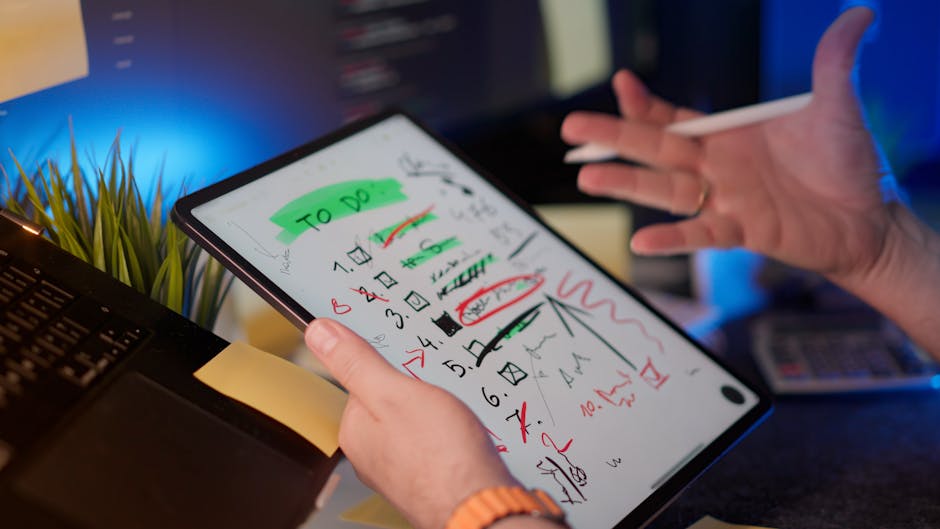
Photo by Jakub Zerdzicki on Pexels
The gap between "having a system" and "using a system"
Here's a distinction that took me longer to see than it should have: having a system and using a system are two completely different skills, and productivity content mostly teaches the first one. You can spend a weekend building the perfect setup — projects, contexts, review cadences — and still fail completely at the daily habit of putting things into it in the moment they occur to you.
Say you're driving, and you remember you need to renew a certification before the end of the month. If your capture method requires unlocking your phone, opening an app, finding the right project, and typing a properly formatted task, that thought is gone by the next red light. It doesn't matter how good your task manager is downstream. The bottleneck isn't organization. It's the three seconds of friction between "I thought of it" and "it's recorded somewhere."
Why inboxes fail quietly instead of loudly
Most task apps have some kind of quick-add or inbox feature. The problem is that "quick" is relative. A quick-add that takes eight seconds and two decisions (which list? which priority?) will get skipped constantly, and you won't notice it happening because there's no failure message. Nothing crashes. You just... don't think to open it, and the idea quietly disappears. That's the insidious part — a broken capture habit doesn't announce itself the way a broken sync does. It just slowly erodes your trust that the system holds everything, and once that trust is gone, you stop relying on it for anything.
What actually worked for me was ruthlessly separating capture from organization into two different moments, done with two different tools:
- Capture: as low-friction as physically possible. Voice memo, a widget, a single always-open note. Zero categorization at the moment of capture.
- Organization: a separate, scheduled pass — later that day or the next morning — where you take the messy pile and sort it.
This sounds obvious written out, but almost nobody's default setup actually enforces it. Most apps invite you to categorize *while* capturing, which adds exactly the friction that kills the habit.
A one-inbox rule that's more important than any app choice
If you take one structural change from this post, make it this: have exactly one place things land the instant you think of them, regardless of device. Not "usually Apple Notes but sometimes Slack myself but sometimes a sticky note." One inbox. The app doesn't matter much — a plain notes app, a voice memo folder, even a physical index card by your bed — but the singularity of it matters enormously, because the moment you have two places things might be, you'll spend more mental energy deciding where to put a thought than you saved by having a system at all.
I've written before about how your phone and laptop being basically strangers wrecks a lot of workflows, and capture is where that shows up hardest. If your quick-capture app is different on your phone than your laptop, or doesn't sync in real time, you get duplicate entries, or worse, entries that only exist on the device you happened to be holding. Pick one capture tool that's genuinely the same experience everywhere, and don't let "it's basically fine" talk you out of fixing a sync gap that's costing you actual tasks.
The daily processing pass that makes the inbox worth having
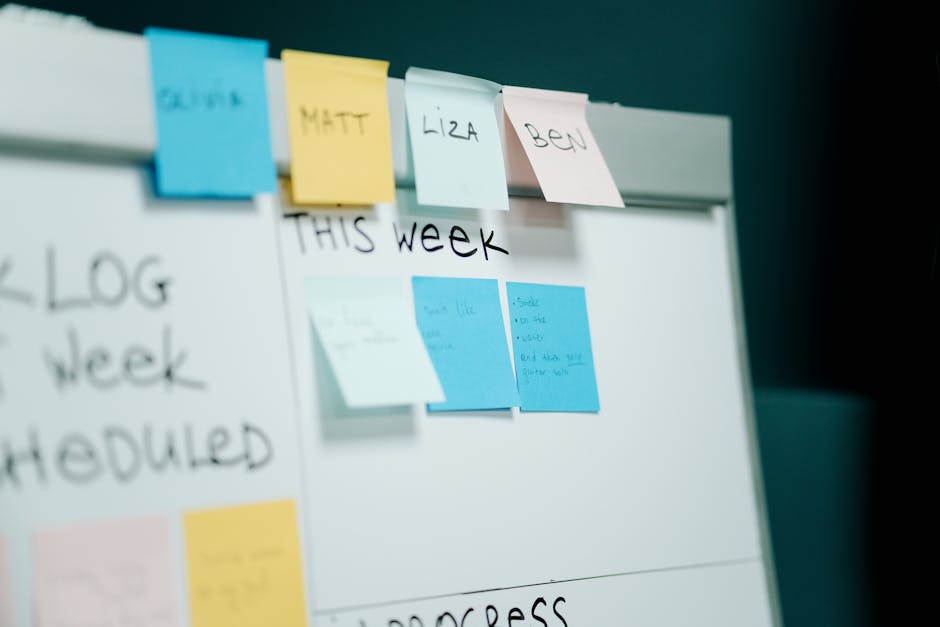
Photo by cottonbro studio on Pexels
An inbox that never gets emptied is just a second junk drawer. The habit that makes this whole approach work is a short, almost mechanical daily pass — 5 to 10 minutes, same time each day — where you take everything in the raw inbox and do exactly one of three things with each item: turn it into a task with a real next action, file it as reference, or delete it because it turned out not to matter. No half-measures, no "I'll deal with this later" pile that becomes its own graveyard.
This is different from a weekly review, which I've covered separately as a way to keep a system from rotting over time. The daily pass is smaller in scope — it's just about emptying the inbox, not auditing the whole system. Skip the daily pass for a few days and the inbox becomes intimidating, and an intimidating inbox is one people start avoiding, which puts you right back to square one.
Where AI capture tools genuinely help — and where they don't
Voice-to-text has gotten good enough that talking a thought into your phone and having it turn into clean text is no longer the bottleneck it used to be. Where I think people overcorrect is assuming the AI part should also do the organizing — auto-categorizing, auto-prioritizing, deciding what's urgent. That's a much harder problem, and most tools that promise it are guessing based on keywords, not context they actually have. Let AI handle the transcription. Keep the "what does this actually mean for my week" judgment call to yourself during the daily pass.
FAQ
What's the single best app for capturing quick thoughts?
There isn't a universal answer, and that's kind of the point — the best capture tool is whichever one is already open on every device you use and takes under five seconds to add to. For a lot of people that's a native notes app; for others it's a widget-based to-do app. Consistency across devices matters more than any specific feature set.
Should my capture inbox and my task list be the same app?
They can be, but they don't have to be, and keeping them separate sometimes reduces the temptation to over-organize at capture time. What matters is that you have a defined, scheduled moment when items move from the raw inbox into whatever system actually manages your day.
How do I stop losing tasks I capture on my phone but never see on my laptop?
Check that your capture tool actually syncs in real time rather than on a delay or only on app open — this is a more common failure point than people expect. If you're not sure, test it directly: add something on one device and see how long it takes to show up on the other.
The habit is the system
None of this requires new software. It requires noticing that most productivity failures happen at the capture step, not the organizing step, and building a habit — one inbox, zero friction, a daily five-minute emptying ritual — that doesn't rely on willpower to survive a busy week. The apps you already have are almost certainly capable enough. What's usually missing is the boring discipline of using them the same way every single time a thought shows up.
Keep reading
- The 20-Minute Weekly Reset That Keeps a Productivity System From Rotting
- Your AI "Assistant" Has Access to Your Calendar, Email, and Files. Have You Actually Checked What It's Doing With That?
- Why Your Phone's "Free Storage" Notification Is Lying to You About What to Delete
#productivity #apps #workflows
Comments
Post a Comment