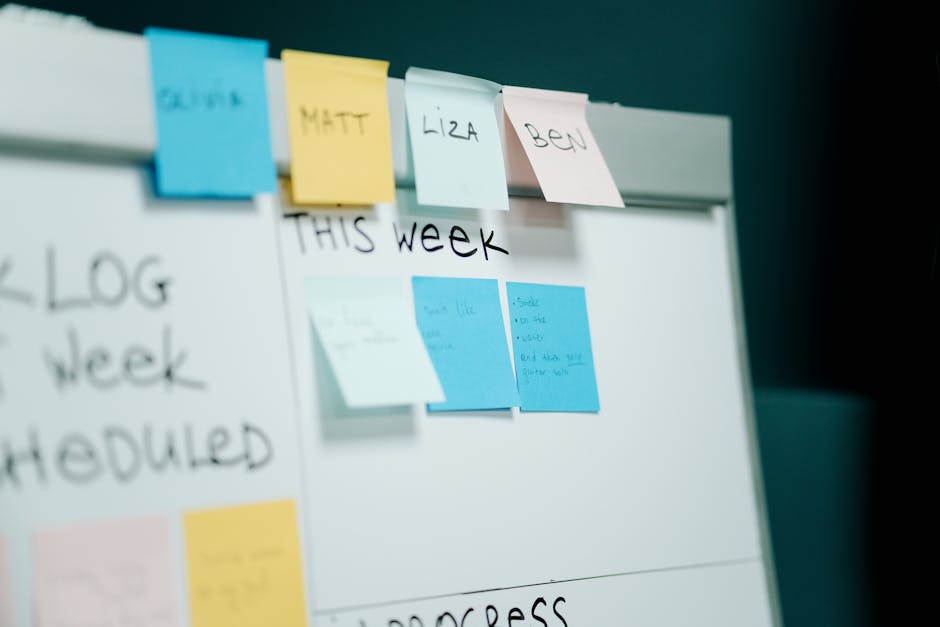
Photo by cottonbro studio on Pexels
The Three-Week Pattern Is Real
You know the cycle. You find a new task manager — Things, Todoist, TickTick, whatever's trending this month — and for the first two weeks it's genuinely great. You add everything. You color-code projects. You feel, for the first time in a while, like you're on top of things.
Then week three hits. The list gets long. Old tasks sit there unfinished, quietly judging you every time you open the app. You stop opening the app as often. By week five you're back to sticky notes and a mental list of things you're probably forgetting.
I've watched this happen to myself more times than I'd like to admit, and I've watched it happen with basically every app in this category. The apps aren't the problem. I've written before about how having five note-taking apps doesn't solve a note-taking problem — the same logic applies here, but the failure mode is different and, honestly, more interesting.
It's Not a Feature Problem
The instinct when a task manager stops working is to blame the tool. Not enough automation. No natural language input. Bad recurring-task handling. So you migrate to something new, and the new app fixes exactly one of those complaints while introducing three others you haven't discovered yet.
Here's the thing nobody wants to hear: task managers don't fail because of missing features. They fail because nothing in your routine ever looks at the whole list and decides what's actually true anymore.
Tasks pile up because adding a task takes five seconds and reviewing a task takes actual thought. So the list grows in one direction only. Eventually it's so bloated that opening it feels like opening a closet you're afraid to deal with, and closets you're afraid to open get avoided entirely.
That's the honeymoon-to-abandonment curve. It has nothing to do with which app you picked.
The One Habit That Actually Compounds
The fix that's worked for me, and that I keep coming back to no matter which app I'm using this year, is a short weekly review. Not a two-hour life-audit session — those don't survive contact with a normal week either. Something closer to ten minutes, same time every week, where you do exactly three things:
- Delete or archive anything you're clearly never going to do
- Reschedule anything with a date that's already passed
- Pick two or three things that actually matter for the coming week
That's it. No elaborate GTD contexts, no color system, no perfectly nested projects. The review is what keeps the list honest. Without it, a task list is just an ever-growing museum of your past intentions. With it, even a plain, unglamorous to-do app stays usable for months.
Say you're using the default Reminders app on your phone — nothing fancy, no smart lists, no natural language parsing. If you actually sit down every Sunday and clear out the noise, it will outperform a much more powerful app that nobody ever reviews. I'd take the boring app with a weekly habit over the powerful app with none, every time.
Why This Advice Usually Gets Skipped

Photo by dlxmedia.hu on Pexels
Most productivity content skips the review step because it's not sexy. It's much easier to write about a new AI feature that auto-schedules your tasks or a slick widget than it is to say "block ten minutes on Sunday and actually look at your list." One of those makes for a better product demo. The other one is the part that actually works.
I'll go a step further and say something that might be unpopular: most people don't need a smarter app, they need a dumber one and a better habit. The complexity of modern task managers — nested subtasks, priority flags, energy levels, time estimates — gives you more knobs to fiddle with instead of more control over your week. Fiddling feels like productivity. It isn't.
A Realistic Way to Set This Up
If you want to try this without overhauling anything, here's a version that takes almost no setup:
1. Pick a recurring 10-minute slot — Sunday evening or Monday morning both work well, because it's before the week's chaos starts. 2. Put a recurring calendar event on it, titled something boring like "list cleanup." Boring titles get ignored less than you'd think, because the point isn't motivation, it's just showing up. 3. During that slot, go through your list once, top to bottom, and only make three kinds of decisions: keep it, kill it, or reschedule it. 4. Resist adding new projects or systems during this time. The review is maintenance, not planning.
The review matters more than the app it's reviewing. If you're currently between task managers, don't spend another weekend evaluating five candidates — pick whichever one is already installed on your phone and start the review habit this week instead. You can always swap apps later; the habit is the part that's hard to build twice.
FAQ
What if my list is already too messy to review in ten minutes?
Do one bigger cleanup first — thirty minutes, one time — where you're aggressive about deleting anything more than a month old that you haven't touched. After that, the weekly ten-minute version is enough to keep it from getting that bad again. The first review is always the expensive one.
Does this work with more complex systems like GTD or time blocking?
Yes, and honestly it's the part of GTD that most people accidentally skip. The "weekly review" is a core piece of that system too — it's just usually described as a much bigger ritual than it needs to be. A short, honest version most weeks beats a thorough version you only do twice a year.
What if I just don't do the review one week?
Do it the next week and don't try to catch up on everything you missed. One skipped review isn't what kills a system — never coming back to it is. Treat a missed week the same way you'd treat a missed workout: annoying, not fatal.
The Takeaway
Nobody's task manager problem is really about the task manager. It's about the fact that lists only grow unless something actively prunes them, and most of us never build that pruning step into our week. Before you download the next app promising to fix your productivity, try adding ten minutes on your calendar instead. It's less exciting than a new interface, but it's the actual reason some systems survive past week three and most don't.
Keep reading
- Forget the Robot Vacuum — the Smart Plug Is the Smart Home Upgrade That Actually Pays Off
- I Let AI Draft My Emails for a Week. Here's What It Actually Saved — and What It Ruined
- Your Phone Can Already Find That One Photo You're Thinking Of — If You Know How to Ask
#productivity #taskmanagement #apps #habits
Comments
Post a Comment