Short answer first, because I know why you're here: yes, Surfshark's unlimited simultaneous connections claim is real, and it's written into the plan terms, not just marketing copy. There's no published device cap of 5, 10, or 20 — you can connect a phone, two laptops, a tablet, a router, and a smart TV under one subscription without hitting a wall. That's genuinely unusual in this category, where most competitors cap you somewhere between 5 and 10 devices even on their priciest tiers.
But "unlimited" in a terms-of-service document is never quite as simple as the pricing page makes it sound. There are conditions worth knowing before you assume you can hand your login to your whole extended family, and that's what I want to walk through here.
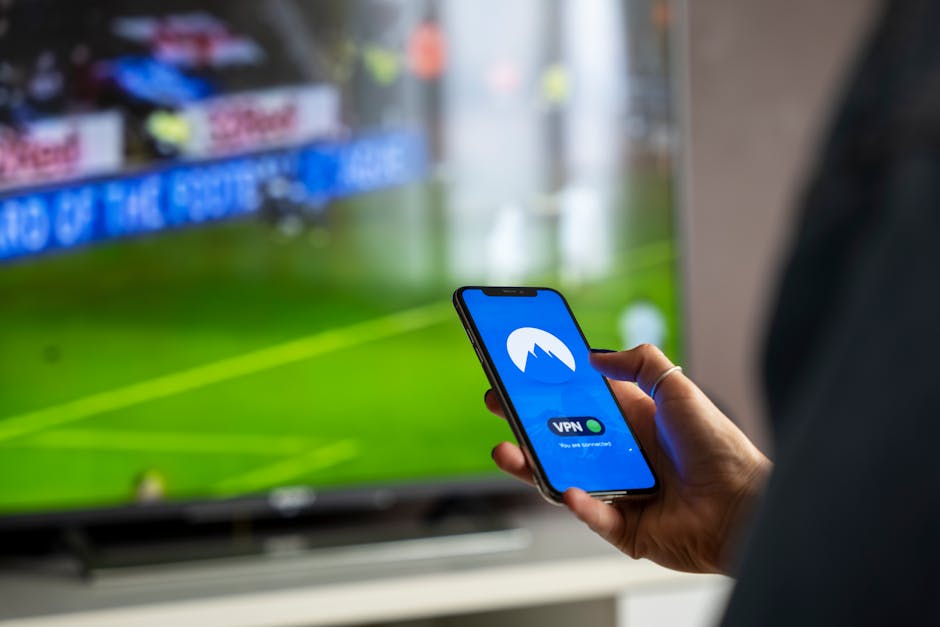
Photo by Stefan Coders on Pexels
What Surfshark's Terms Actually Say About Device Limits
Surfshark's plan pages describe the connection limit as unlimited across the Starter, One, and One+ tiers — this isn't a premium-only perk gated behind the most expensive plan. That's worth noting because with a lot of VPN providers, "more devices" is exactly the lever they pull to upsell you to a higher tier. Surfshark instead differentiates its tiers by bundled extras (antivirus, personal data removal, alert tools) rather than by connection count.
The terms of service do include standard account-sharing language, though — the kind every subscription service has. The account is licensed to a single subscriber for personal use, and the company reserves the right to act against accounts that show signs of abuse, like patterns suggesting the login is being resold or distributed commercially. In practice, this is the same boilerplate you'll find in Netflix's or Spotify's terms. It's not aimed at a household running six devices; it's aimed at someone turning a $2-a-month personal plan into a black-market reseller operation.
So: unlimited devices, yes. Unlimited *tolerance for commercial redistribution of your login*, no. Those are different promises, and it's worth reading them as such.
Why "Unlimited" Isn't the Same as "No Fair Use Policy"
Here's where I'd push back a little on how this feature gets marketed. A lot of coverage treats "unlimited devices" as meaning the company has zero mechanism to intervene, ever, no matter what. That's not how any subscription service works, and VPNs are no exception.
What "unlimited" specifically waives is the *simultaneous connection count* — the thing that used to be the industry's default throttle. It does not waive:
- The requirement that usage stays personal and non-commercial
- The provider's general right to suspend accounts for terms-of-service violations
- Bandwidth or server-load fairness expectations that most VPNs bake into their acceptable-use terms
None of this is unique to Surfshark. It's standard structure across the industry. The difference is just that Surfshark chose not to hardcode a number into the product itself, and instead relies on the general conduct terms to catch actual abuse cases. If you're using it the way an ordinary household does — your stuff, across your devices — you're extremely unlikely to ever bump into this.
The Realistic Household Scenario
Say a household has two phones, two laptops, a streaming box, and a tablet — six devices total, all belonging to people who live under one roof and split one subscription. That's the scenario unlimited devices was clearly built for, and it's the one that holds up cleanly under the published terms. Nothing about that setup looks like resale or commercial abuse from any angle.
Now stretch it further: say that same login gets shared across a group chat of a dozen people who don't share a household, each running it on two or three of their own devices simultaneously. Technically, the app might not stop you — there's no hard-coded number 13 where the connection suddenly fails. But that pattern is closer to what the account-sharing language is written to catch, and it's the kind of usage that risks a account review if it's flagged. The "unlimited" promise was never meant to turn one subscription into a shared utility for an entire friend group.
The honest middle ground: unlimited devices is a real, structural feature — not a soft cap disguised as a hard one. But it comes with the same "don't be the outlier abusing shared infrastructure" expectation that underlies every unlimited claim in software, from unlimited cloud storage to unlimited API calls.
Who This Is For (and Who Should Skip It)

Photo by Jakub Zerdzicki on Pexels
This feature earns its keep for:
- Multi-device households that got tired of juggling which laptop is "the VPN one" this week
- People who want their router, phone, and a couple of streaming devices covered under a single plan without doing math on device slots
- Anyone coming from a provider that made them log out one device to log into another — that specific annoyance is exactly what unlimited connections removes
It's less of a selling point for:
- A solo user with one laptop and one phone, where even a 5-device cap from a competitor would never have been a real constraint
- Anyone hoping "unlimited" means they can run a commercial VPN-reselling side business on a personal plan — that's not what this covers, and the terms are explicit about personal use
- Buyers choosing between providers purely on device count when their actual priority should be server speed, streaming reliability, or no-logs audit history — device limits are an easy number to market around, but they're rarely the thing that makes a VPN good or bad day to day
I've written before about how ClickUp's free plan has a cap that looks generous until you actually hit it. Surfshark's device policy is almost the inverse case — a limit that genuinely isn't there, dressed up in the same skepticism-worthy marketing language that usually means "read the fine print." Here, reading the fine print mostly confirms the claim rather than undercutting it.
FAQ
Does Surfshark limit the number of devices on any of its plans?
No — based on the published plan comparisons, unlimited simultaneous connections applies across all current subscription tiers, not just the premium one. If you want to confirm this hasn't changed for your specific plan, check the current pricing page, since providers do occasionally restructure tiers.
Can I get my account suspended for using unlimited devices?
Only in cases that look like commercial resale or clear abuse of the account-sharing terms, based on the general acceptable-use language in the terms of service. Normal personal or household use across many devices is what the feature is designed for and isn't a violation pattern.
Is unlimited devices the same as unlimited simultaneous streaming on paid services like Netflix?
No, and this trips people up. Unlimited devices refers to how many devices can connect to the VPN itself. Streaming services have their own separate device and simultaneous-stream limits that a VPN doesn't touch or override.
The Takeaway
If the reason you typed that search query was suspicion — a nagging feeling that "unlimited" always has a catch — the catch here is smaller than you'd expect. The device count really isn't capped anywhere in the current terms I could find. What's capped, gently, is the expectation that you're not turning a personal subscription into shared commercial infrastructure. For the household use case this feature is obviously built for, that distinction never becomes a practical problem. Always double-check the live terms page before you commit, since plan structures shift, but as of now, unlimited means what it says.
Comments
Post a Comment