Open any productivity app right now and count how many unsorted items are sitting at the top of your list. If it's more than ten, you're not alone — and the problem isn't that you picked the wrong app. It's that you're asking one list to do two completely different jobs at once.
I've written before about why new productivity apps tend to die by week three, and a lot of that comes down to setup fatigue and unrealistic habit expectations. This is a narrower problem, and it's mechanical rather than psychological: your task list is trying to be both a dumping ground and a battle plan, and those two things fight each other every single day.

Photo by Egor Komarov on Pexels
The mistake: one list, two jobs
Here's what happens in almost every app I've tried, from Todoist to Things to a plain Notes app. You get an idea or a reminder, and you type it straight into your main list. Over a few days, that list fills up with a mix of "reply to landlord about the lease," "look into whether it's worth switching banks," and "buy stamps." Genuinely urgent stuff sits next to vague someday-thoughts, and nothing distinguishes them.
When you open the app in the morning, you're not looking at a plan. You're looking at an unsorted pile, and your brain has to re-sort it every time before it can even decide what to do. That re-sorting tax is small on any given day, but it compounds. By week two, opening the app feels like work instead of relief, and that's usually the exact point where people quit.
The fix isn't a smarter app. It's separating capture from organization into two distinct lists, so each one only has to do a single job.
What the two lists actually are
This isn't complicated, and that's the point:
- The capture list is where everything goes the second it enters your head. No sorting, no priority, no editing. If it's a task, an idea, or a nagging thought, it goes here immediately.
- The today list is short — realistically three to seven items — and it's the only list you look at while you're actually working.
The capture list can get messy. That's allowed, even expected. Its whole purpose is to get things out of your head fast enough that you stop rehearsing them. The today list stays clean because you only add to it once a day, during a short review, by pulling items over from the capture list.
The mechanism that makes this work isn't the app — it's the daily transfer step. That's the part most systems skip, and it's the part that actually matters.
A worked example
Say it's a Tuesday morning and your capture list has 22 items on it: a mix of work follow-ups, a birthday gift you need to buy, a vague note that says "look into HSA thing," and three half-finished chores. If that's your only list, staring at it is exhausting before you've done anything.
Instead, spend three or four minutes scanning it and pulling out what genuinely needs to happen today — say, "send the invoice" and "call the dentist to reschedule." Those two go on your today list. Everything else stays on the capture list, untouched, waiting for tomorrow's scan or next week's cleanup.
Now your working list has two items instead of twenty-two. You're not ignoring the other twenty — they're safe, they're written down, and they'll get their turn. You've just stopped asking your brain to hold and re-evaluate all of them every time you glance at your phone.
Why this outlasts whatever app you're using
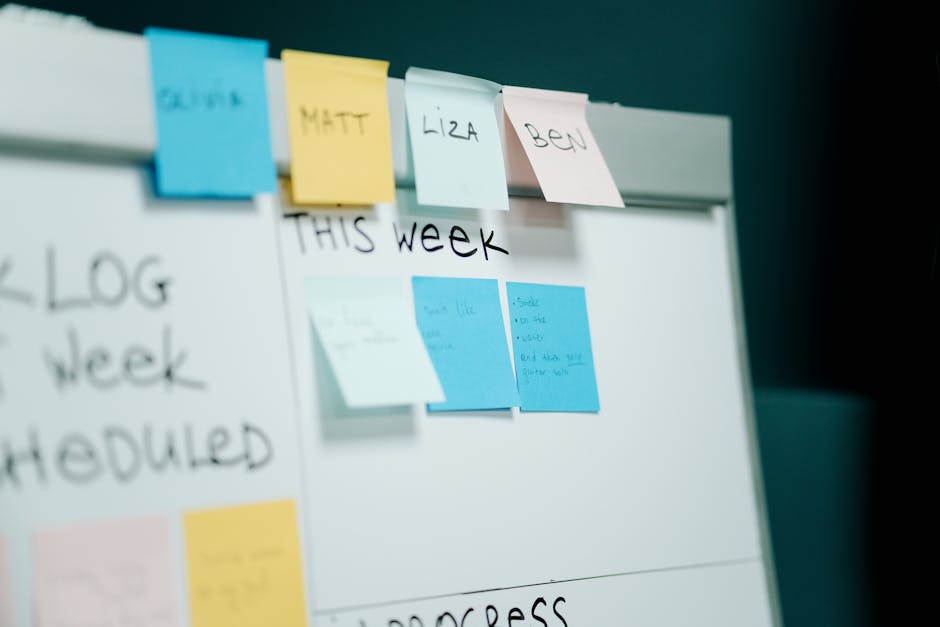
Photo by cottonbro studio on Pexels
The reason this survives longer than most systems is that it doesn't depend on any particular tool. You can run it with two sticky notes, two sections in Apple Notes, or two projects in Todoist. I've used a version of this in a plain text file for stretches when I got tired of app-hopping, and it worked exactly the same as it did in a fancier tool.
That's a small stance I'll take here: most productivity advice spends way too much energy on which app to use and not nearly enough on this separation. The app is close to irrelevant. What matters is whether your system distinguishes between "things I might need to do" and "things I'm doing today," because a list that mixes both will always feel heavier than it should, regardless of how good the software is.
There's a second reason it lasts, too. Because the capture list has no rules, there's nothing to maintain and nothing to feel guilty about. A messy capture list isn't a failure — it's working as designed. Guilt is usually what kills a system, and this setup removes the main source of it.
The one rule that keeps it from breaking
If you only take one thing from this, take the daily transfer step. Skip the review for a few days and the two-list system quietly turns back into one big messy list, just with an extra step nobody's using anymore.
It doesn't need to be elaborate. Two or three minutes, once a day — ideally at the same time, like right after coffee or right before you shut your laptop — is enough. You're not trying to process the whole capture list. You're just picking the handful of things that actually need to happen in the next 24 hours.
FAQ
Do I need a special app for this?
No. The two-list approach works in whatever you're already using, including pen and paper. If you're using an app with folders or projects, just make one called "Capture" and one called "Today" and resist the urge to add more categories than that.
What if my today list grows past seven items?
That's usually a sign you're adding tasks straight to the today list instead of routing them through capture first. Redirect new items back to the capture list and let tomorrow's review decide if they're urgent enough to graduate.
What happens to stuff that sits on the capture list for weeks?
Some of it will. That's fine — a lot of "someday" items either become genuinely relevant later or quietly stop mattering, and you'll notice that during a weekly glance through the list. Don't force yourself to complete everything on it; treat it as a holding pen, not a debt.
The takeaway
You don't need a more powerful app or a more elaborate system. You need your task list to stop doing two jobs at once. Split capture from action, keep the working list short, and protect the daily transfer step even on days when you don't feel like reviewing anything. It's a small structural change, but it's the kind that keeps working long after the initial motivation wears off — which, at the end of the day, is the only real test a productivity system has to pass.
Comments
Post a Comment